
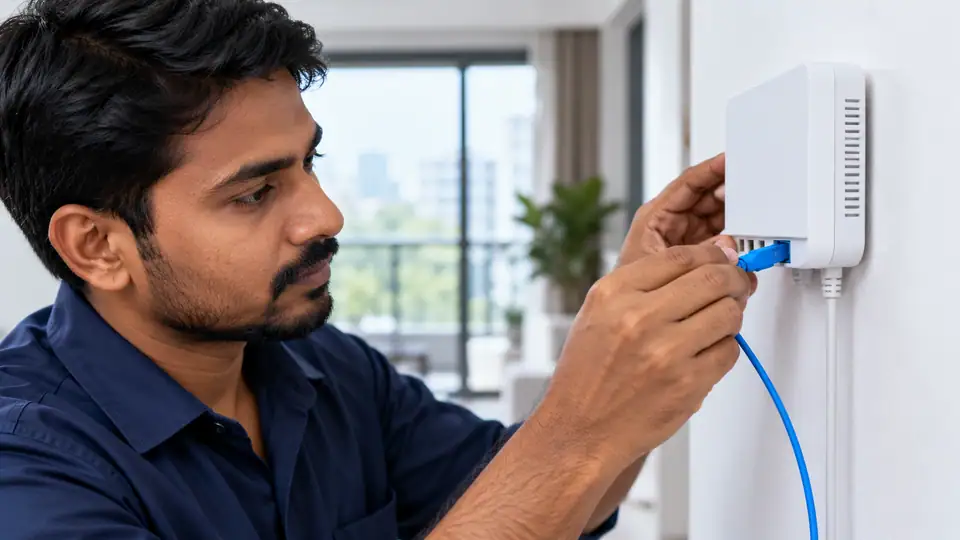
Ask the quotation to distinguish standard installation work, extra cable or non-standard labour, and equipment security. Approve the route and any additional charge before the work starts. A free-installation headline does not explain every building-specific task or turn a refundable deposit into a labour charge.
Before the visit, describe the intended cable path and any areas that require permission. Shared corridors, terraces, shafts and rented interiors can involve different access arrangements. Resolve those practical questions alongside the booking so the technician can assess a usable route.
Compare quotations over an equivalent period
Request a quotation that shows the service period, subscription, applicable taxes and any equipment or installation payment separately. This is the clearest way to understand what is due now and what will recur later. Confirm the final amount before treating a displayed monthly price as a complete order.
Ask whether the displayed figure is the normal renewal rate or part of an offer. If an introductory benefit applies, record its duration and eligibility conditions. Keep the written quote so a later renewal can be compared with what was agreed at the start.
Separate the property agreement from the service agreement
Mark the places where the connection must be useful: desks, televisions and other fixed or frequently used devices. Test those points with consistent equipment. A good result beside the router is a starting reference rather than a complete room-coverage assessment.
Record which devices are supplied by the provider and which belong to you. Support and replacement responsibility can differ between an optical terminal, router and added access point. Agree those boundaries before purchasing or replacing equipment.
1. Confirm building-specific installation costs before payment
The website publishes monthly reference prices of ₹499 for 100 Mbps, ₹699 for 200 Mbps, ₹799 for 300 Mbps and ₹1,699 for 500 Mbps. Confirm the current order terms, billing period and any additional payable items with Fiber Internet before making payment.
Refundable equipment security belongs on a separate line from non-refundable service charges. Ask what equipment the security covers, which return conditions apply and how the refund is processed. A receipt is useful only when the purpose of the payment is clear.
2. Ask what happens if installation proves infeasible
Check the power point and the space for the supplied equipment. Avoid deciding the router position only after the fibre has been fixed. The installation should support the rooms and devices you intend to use, with any additional cabling discussed in advance.
Agree how work outside the standard scope will be handled. This may include an alternative route, added equipment or finishing work that is not part of ordinary cable fixing. A clear explanation and approval should come before an unexpected additional charge.
3. Separate installation labour from equipment security
Make sure an authorised person can attend the visit and provide the necessary access. Give the installer a reachable contact and mention any time restrictions. The appointment is more useful when both the proposed route and the intended equipment location can be reviewed on site.
At activation, identify the equipment supplied and keep the handover record. Confirm how to reach support and what to do if the connection does not work as expected after the technician leaves. Also retain any ownership or refundable-security conditions.
4. Compare WiFi plans using the busiest household hour
Plan a family connection around the time when everyone's needs overlap. A work meeting, school activity, television stream and background update can compete even when most devices appear idle. Record that busy period before deciding whether the household needs more capacity.
Put the router where it can serve the important rooms without being enclosed in a cabinet or hidden behind entertainment equipment. The optical entry point is only one constraint. Ask whether a practical cable arrangement would allow a better wireless position.
5. Check postpaid closure terms before taking a connection
If you prefer postpaid billing, first ask whether it is available for the connection and customer type you need. The presence of a postpaid guide is not confirmation that every address or plan supports that billing method. Obtain the applicable offer before comparing it with prepaid service.
Read the billing cycle, payment due date and any deposit requirement together. Clarify how the first or final partial period is charged and what happens if payment is late. Written answers prevent assumptions based on another provider's invoice format.
6. Check whether the router is owned or returnable
Ask for the model and features of the proposed router. Confirm its compatibility with the service and the devices that will use it. Terms such as dual-band or high-speed are useful only when the actual equipment and intended setup are understood.
Keep equipment payments separate from the service subscription. Where refundable security applies, retain the amount, return conditions and acknowledgement process. The end of the broadband account and the return of hardware may require separate steps.
7. Agree the installation scope before reserving a slot
Check the practical result before declaring the installation complete. Try the important rooms and an appropriate wired device where available. Record any unresolved coverage issue so its proposed remedy is agreed rather than assumed to be included automatically.
An installation booking should start with a route the technician can assess. Supply the building or house number, floor, entry restrictions and a reliable landmark. A map pin is useful alongside those details, but it does not describe how a cable can safely reach the intended room.
8. Inspect the completed cable route before handover
Begin with a simple baseline: note the device, time, connection method and whether other heavy transfers are active. Repeat the important task under the same conditions before changing anything. Consistent observations are more useful than a collection of unrelated speed figures.
If practical, test with a capable device over Ethernet and compare it with the normal Wi-Fi position. A difference between the two helps identify the part of the connection worth examining next. One result alone does not prove a fault in the provider's line.
9. Include Ethernet needs in the home installation request
Decide where the fibre will terminate and where the router should operate. Those positions need not be identical, and the most convenient cable entry is not always the best place for Wi-Fi. Discuss the cable path, power supply and any additional networking work before the visit.
Arrange permission for access to shared passages, shafts or terraces if the proposed route needs them. Clarify responsibility for drilling, concealed wiring and work outside the standard installation scope. The installer should be able to explain any additional charge before that work begins.
10. Check the support path offered by a local company
Contact Fiber Internet on 9990881098 with the account reference or exact installation address and a concise description of the issue. Include when it began and whether it affects one device, one room or the whole connection. Those facts help determine the next check.
Describe equipment lights as you see them rather than assigning a cause from memory. If support requests a restart, follow the normal equipment procedure. Do not factory-reset the router or disturb fibre connectors unless the responsible technician explicitly guides that action.
11. Choose the fiber entry point before the technician arrives
At handover, check that the account is active, the equipment is identified and the intended devices can connect. Test the important rooms as well as a point close to the router. Keep the payment record and support contact with any equipment-return conditions.
For an apartment connection, begin with the route from the building's common area to the individual flat. Find out who can approve that route and who will provide access on the installation day. Permission for shared spaces and permission inside the flat may involve different people.
12. Plan apartment installation through shared spaces
Choose the router position around where people use the connection, rather than automatically placing it at the nearest entry point. Doors, walls and the shape of the flat can affect Wi-Fi. Identify the work desk, television and other important locations before the equipment is fixed in place.
A shared building does not necessarily require a shared private network. Decide whether the order is for one residence or several independently managed units. Discuss equipment, account responsibilities and access control before extending connectivity beyond the original household.
13. Ask about relocation before committing at a temporary address
For Transformrewali Road, give the exact building or house number, unit, floor and a useful landmark. Include a map pin if requested, but keep the written address with it. These details help the team review the actual premises instead of making an assumption from the locality name.
Ask for confirmation that the proposed address can be served through an approved route. A nearby connection is useful context, but it is not a guarantee for another floor or building. Wait for the property-specific response before relying on an installation date.
14. Is 200 Mbps useful when WiFi is the bottleneck
An internet package and an entertainment subscription are different products, even when they appear in one offer. Before choosing a bundle, ask which services are included, which account receives access and how long the benefit lasts. Do not infer an inclusion from a blog topic or a logo.
Read eligibility, activation and renewal conditions together. A promotional benefit may have a different end date from the broadband connection. Ask what changes after the promotional period and whether continuing a streaming service requires a separate payment.
15. Judge local reliability using a support record
Ask for the complaint reference and what happens next. Keep the time of the report, the tests already performed and any promised update together. If the symptom changes, add that new observation instead of starting the description again from scratch.
Separate a service enquiry from a device-repair request. Explain whether you need a new connection, coverage assistance or diagnosis of particular hardware. That makes it easier to agree the scope and any applicable charge before work begins.
16. Check equipment compatibility before requesting gigabit
If existing hardware is to be reused, have its suitability checked first. A spare router may have limitations or configuration requirements that matter to the new connection. Clarify what help is included for customer-owned equipment.
Label the equipment and essential cables in a way the account owner can understand. Keep the handover record without publishing passwords or private account details. Clear identification makes later support less dependent on remembering which box performs which function.
17. Build a family broadband decision together
Keep fixed, demanding devices in mind when discussing the layout. A suitable Ethernet connection to a desk or television can reduce dependence on the wireless path. This does not increase the subscribed bandwidth, but it can make the local connection easier to test and manage.
Make everyday administration simple. Keep the account details, renewal date and support contact somewhere the responsible adults can find them. If a device has a problem, note whether other devices and rooms are affected before changing settings for the whole household.
Apply these checks to the exact premises
Mention access restrictions early, including locked common areas or permissions required from an owner or manager. State who can approve the work and who can attend the visit. The team can then identify the next practical step instead of booking around missing information.
If you are enquiring near a landmark, add the approach road and exact premises. A broad destination can cover several possible entrances or properties. The purpose of the landmark is to assist the address check, not to replace it. Related information: 9990881098 9990881098 published plan information request an address check
Published Fiber Internet plan options
Installation described as free still needs a defined scope. Confirm the included cable route and ask whether non-standard work, additional equipment or other approved extras would change the quotation. Obtain agreement on any extra work before it is carried out. Related information: broadband plans page
| Plan | Speed | Monthly price | Included benefits | Availability |
|---|---|---|---|---|
| Fiber Start | 100 Mbps | ₹499/month | Unlimited data, free installation, 24×7 customer support | Enquire |
| Fiber Plus | 200 Mbps | ₹699/month | Unlimited data, free installation, 24×7 priority support | Enquire |
| Fiber Pro | 300 Mbps | ₹799/month | Unlimited data, free installation, 24×7 priority support | Enquire |
| Fiber Ultra | 500 Mbps | ₹1,699/month | Unlimited data, free installation, 24×7 priority support | Enquire |
Do not replace equipment merely because one online service is slow. Compare devices, connection methods and affected applications first. If replacement is recommended, ask which observed limitation or fault it addresses.
When comparing two offers, use the same period and the same scope of work. A subscription collected for several months, a monthly equivalent and a single-month order are not interchangeable. Include the normal renewal and exit conditions in the comparison. Related information: Call 9990881098 for a custom quote