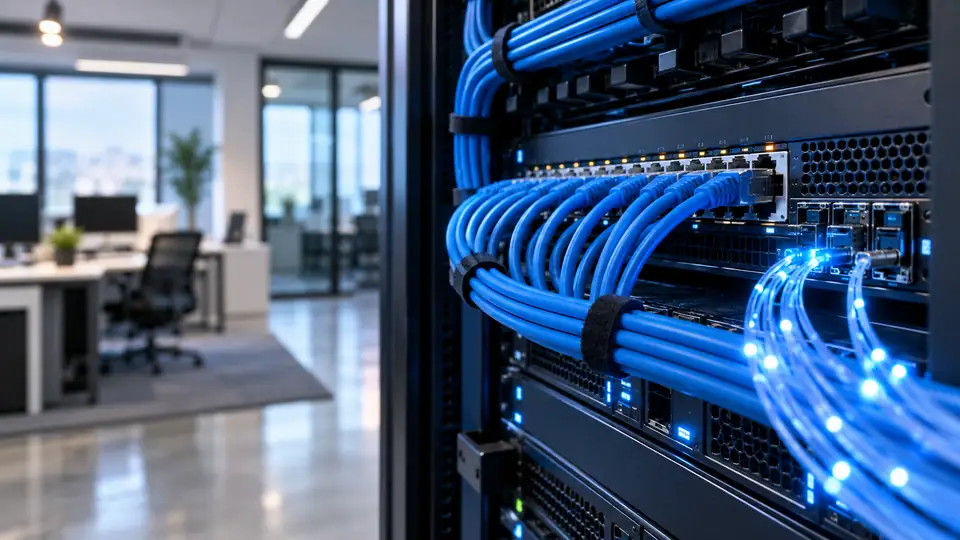
Plan wired ports for a compact office — Western Avenue Sainik Farms
List the fixed devices that need a wired connection and discuss ports and cable routes before ordering equipment. Check the capabilities of the device, adapter and router as a complete path. A subscribed speed tier does not guarantee that an older local link can carry that rate.
Confirm address-level feasibility, current plan terms and the indoor WiFi layout before installation.
Start with the business processes that depend on connectivity: billing, calls, cloud applications, cameras or customer access. Identify which must keep working together and which can wait. This gives the provider a concrete service brief rather than a generic request for office Wi-Fi.
List the fixed devices that need a wired connection and discuss ports and cable routes before ordering equipment. Check the capabilities of the device, adapter and router as a complete path. A subscribed speed tier does not guarantee that an older local link can carry that rate.
Start here: Include spare switch capacity and label both cable ends so a future desk move does not require guesswork.
Before the visit, describe the intended cable path and any areas that require permission. Shared corridors, terraces, shafts and rented interiors can involve different access arrangements. Resolve those practical questions alongside the booking so the technician can assess a usable route.
Define the work that must remain usable
Begin with a simple baseline: note the device, time, connection method and whether other heavy transfers are active. Repeat the important task under the same conditions before changing anything. Consistent observations are more useful than a collection of unrelated speed figures.
If practical, test with a capable device over Ethernet and compare it with the normal Wi-Fi position. A difference between the two helps identify the part of the connection worth examining next. One result alone does not prove a fault in the provider's line.
Interpret speed measurements before acting on them
Repeat the task that originally caused difficulty. A successful speed test does not by itself confirm that a work VPN, game or video meeting behaves correctly. Record which applications work and which fail so the next investigation stays focused.
Try another suitable device when the problem seems confined to one laptop, phone or television. Keep the location and network method comparable. If the second device behaves differently, examine device or application settings before altering the entire household network.
Place office access points around desks and meeting areas
Consideration
A router near the entrance may be convenient for installation but poor for the rooms where staff work. Plan the network around occupied desks and enclosed meeting spaces.
Practical check
Mark fixed workstations and meeting rooms on a sketch; test each area with doors closed as they normally are.
Put the work desk on the network plan before installation
Consideration
The best router position for a hall may be unsuitable for a distant office room. Specify the desk location while the cable route can still be planned.
Practical check
Ask whether the quote includes an Ethernet run or an additional access point and get the scope confirmed before drilling.
Separate a home workspace from entertainment traffic
Consideration
A home office often shares its connection with televisions and game downloads. The work desk may need a wired link even when entertainment devices work well wirelessly.
Practical check
Test a work call while the household follows its normal routine and move the most demanding fixed device to Ethernet.
Distinguish dedicated office WiFi from a leased line
Consideration
A private office network and a dedicated provider circuit solve different problems. The word dedicated should not be used as a substitute for written service terms.
Practical check
Request separate details for your local WiFi equipment, bandwidth service and any uptime or repair commitment.
Prioritise interactive office traffic during large transfers
Consideration
A cloud sync or software rollout can delay calls while filling the connection. Where supported, traffic management can protect responsiveness without promising extra bandwidth.
Practical check
First limit the identified bulk transfer in its application, then ask whether the router supports suitable queue management.
Write an office handover checklist for the installer
Consideration
The installation handover should make future support possible without depending on one employee's memory. Record equipment ownership, access details and agreed work locations.
Practical check
Keep administrator credentials in an approved secure place and store the service identifier separately from public WiFi instructions.
Check equipment compatibility before requesting gigabit
Consideration
A gigabit request requires more than a plan label. The terminal, router ports, cable and test device can each impose a lower limit.
Practical check
Ask for current gigabit availability at the address and verify port capabilities; the site's standard plan table does not establish a gigabit offer.
Compare a 200 Mbps upgrade using the same test setup
Consideration
Changing the test device or server at the same time as a plan makes the comparison unreliable. Keep the conditions consistent to understand what improved.
Practical check
Record the pre-upgrade baseline and repeat the same test afterwards, including the household task that motivated the change.
Decide whether 100 Mbps fits a small household
Consideration
A modest plan can be adequate when the busiest hour includes only a few ordinary activities. Device count alone is a poor basis for choosing.
Practical check
List simultaneous calls, streams and large transfers, then assess the plan against that actual overlap.
Distinguish a single-device fault from an outage
Consideration
If only one phone fails while a wired computer works, the evidence points away from a complete line outage. Narrowing the scope saves unnecessary resets.
Practical check
Test a second device and one wired connection where possible, then report exactly which combinations work.
Plan clinic appointment access during a network fault
Consideration
Reception staff need an agreed response when an online appointment system is unavailable. The right fallback depends on the software and the clinic's procedures.
Practical check
Confirm the approved contingency with the software provider and keep support contacts accessible without the internet.
Plan Ethernet between floors before choosing mesh
Consideration
A wireless mesh node needs a usable connection back to the main router. Placing it upstairs inside an existing dead zone can repeat a weak signal instead of solving the problem.
Practical check
Sketch each floor and identify a permitted cable path for wired backhaul before buying extra nodes.
Avoid adding repeaters without a coverage plan
Consideration
Several repeaters can create overlapping networks and extra wireless hops. More equipment does not necessarily create a more stable connection.
Practical check
Map the dead spots and identify a strong backhaul location for each added unit; prefer a planned access-point layout.
Plan gigabit distribution across several rooms
Consideration
One fast port beside the terminal does not distribute that capacity around the home. Switches, cable runs and access points form part of the equipment plan.
Practical check
Identify which rooms need wired connectivity and price the local network work separately from the internet subscription.
Check the Ethernet link speed on a 200 Mbps plan
Consideration
An older port or damaged cable can negotiate a connection below the broadband package. That local link then caps the result before internet traffic leaves the room.
Practical check
Inspect the negotiated link speed on the device and try a suitable known-good cable before reporting a line fault.
Share 200 Mbps between calls and large downloads
Consideration
A connection can feel slow when bulk transfers occupy capacity needed by interactive tasks. The problem is often timing rather than the plan number alone.
Practical check
Pause the download during a call, then apply an application limit or a scheduled transfer window if that resolves the issue.
Find the device that triggers household slowdowns
Consideration
If calls deteriorate only when one computer turns on, background transfers may be responsible. A speed upgrade can hide the symptom without identifying the source.
Practical check
Pause that computer's sync and update tasks briefly, repeat the call and then schedule the identified transfer appropriately.
Apply these checks to the exact premises
For Western Avenue Sainik Farms, give the exact building or house number, unit, floor and a useful landmark. Include a map pin if requested, but keep the written address with it. These details help the team review the actual premises instead of making an assumption from the locality name.
Ask for confirmation that the proposed address can be served through an approved route. A nearby connection is useful context, but it is not a guarantee for another floor or building. Wait for the property-specific response before relying on an installation date. Related information: 99908810989990881098published plan informationrequest an address check
Published Fiber Internet plan options
Request a quotation that shows the service period, subscription, applicable taxes and any equipment or installation payment separately. This is the clearest way to understand what is due now and what will recur later. Confirm the final amount before treating a displayed monthly price as a complete order. Related information: broadband plans page
Monthly fiber broadband plans
Plan
Speed
Monthly price
Included benefits
Availability
Fiber Start
100 Mbps
₹499/month
Unlimited data, free installation, 24×7 customer support
Record which devices are supplied by the provider and which belong to you. Support and replacement responsibility can differ between an optical terminal, router and added access point. Agree those boundaries before purchasing or replacing equipment.
Ask whether the displayed figure is the normal renewal rate or part of an offer. If an introductory benefit applies, record its duration and eligibility conditions. Keep the written quote so a later renewal can be compared with what was agreed at the start. Related information: Call 9990881098 for a custom quote
YOUR NEXT CONNECTION STARTS HERE
Check the next step for your address
Mention access restrictions early, including locked common areas or permissions required from an owner or manager. State who can approve the work and who can attend the visit. The team can then identify the next practical step instead of booking around missing information.